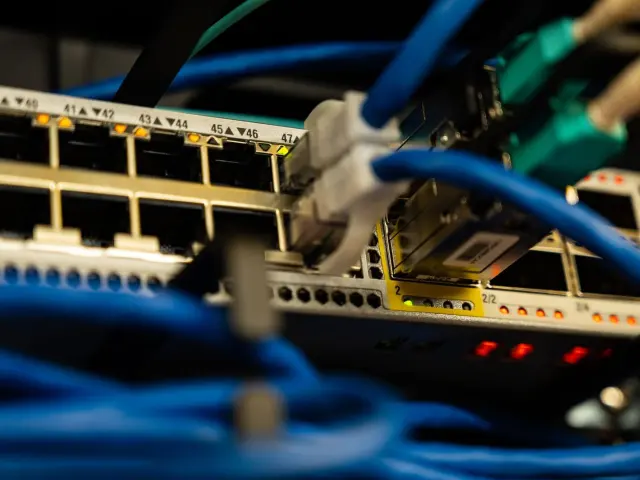
If you worry about the laptops and phones your team carries around, endpoint security for small business comes down to three habits: know every device, keep it updated and encrypted, and watch for threats. Start with a device list.
This guide sits within the wider topic of small business it security, which covers the other layers around your devices.
| Key fact | Value |
|---|---|
| Breach victims who blamed an unpatched known vulnerability (Tetra Defense survey, 2022) | 57% |
| Small businesses that consider their security posture highly effective | 14% |
| Share of SMB breaches caused by phishing | 33.8% |
| Confirmed breaches at SMBs compared with large organizations in 2024 | Roughly four times more (2,842 vs 751 breaches) |
These figures come from CrowdStrike’s small business checklist and Deeploi’s small business security guide. They can change, so check the sources before you rely on them.
What counts as an endpoint, and why does it matter?
An endpoint is any device that can be connected to a network, including computers, laptops, mobile phones, tablets and servers, according to CrowdStrike’s checklist. In a small team, that mostly means staff laptops and phones, often used away from the office.
The risk is not theoretical. Deeploi’s guide reports that SMBs experienced roughly four times more confirmed breaches than large organizations in 2024, recording 2,842 against 751. The same guide says only 14% of small businesses consider their cybersecurity posture highly effective.
The most common way in is phishing, which the same guide puts at 33.8% of all SMB breaches. A laptop with no updates, no encryption and no second login step turns one bad click into a much bigger problem.
Start with a device inventory
You cannot protect what you cannot see. Deeploi advises starting with a full asset inventory: every laptop, phone, tablet and SaaS account your company uses.
Then ask three questions about each device:
- Is it running the latest software and patches?
- Who has access to it, and should they?
- Is it encrypted and managed centrally?
If you cannot answer all three with confidence, you have found your gaps. A shared spreadsheet is enough to begin: one row per device, with the owner, the operating system, whether the disk is encrypted and when it was last updated.

The core controls for every laptop and phone
Once you know what you have, apply the same short list of controls to every device. Keep the list small enough that people actually follow it.
- Encryption: CrowdStrike describes encryption as ensuring data cannot be read, stolen or altered either at rest or in transit. Turn on full-disk encryption so a lost laptop is just lost hardware.
- Multifactor authentication (MFA): require a second verification step for email, financial accounts and cloud apps.
- Automatic updates: NinjaOne suggests enabling auto-patching for Windows, macOS, browsers and apps.
- Threat detection: CrowdStrike recommends endpoint security software such as endpoint detection and response (EDR), or a managed detection and response (MDR) service.
- Password managers: NinjaOne recommends requiring staff to use them, so every account gets a unique password.
- Safe connections: a VPN helps when staff work from personal devices or unsecure networks such as coffee shops and airports, as the CrowdStrike checklist points out.
Updates deserve special attention. In a Tetra Defense survey of 2022, 57% of breach victims said they were breached through a known vulnerability whose patch had not been applied, as CrowdStrike’s checklist reports.
What happens when a device is lost or an employee leaves?
Devices get lost and people change jobs, so plan for both. CrowdStrike suggests asking yourself a blunt question: if an employee loses a laptop, can someone easily log in and access data? With encryption, a screen lock and MFA, the answer should be no.
For remote staff, the same checklist asks whether family members can easily use games, email and the internet on a work laptop. A separate work profile or a dedicated work device keeps household use away from business data.
Departures are a common gap. Deeploi calls orphaned accounts from departing employees common and preventable, and Prey lists immediate password changes when employees leave. Build a short offboarding checklist:
- Collect or remotely wipe the laptop and phone.
- Disable the person’s accounts and revoke their app access.
- Change any shared passwords they knew.
- Update your device list.
Keeping it manageable without an IT team
You do not need a large budget to get this right. NinjaOne advises keeping a checklist lean, starting with quick wins such as MFA, auto-patching and backups, and assigning clear responsibilities, as described in its small business checklist guide.
Staff habits matter as much as software. CrowdStrike recommends periodic training on password management, spotting suspicious texts, chat messages, emails and phone calls, and recognizing phishing attempts.
Your devices also connect to online accounts and stored files. Reviewing cloud security best practices helps you protect the apps those laptops and phones log in to.
Finally, a protected device can still fail, so plan for recovery. NinjaOne suggests backing up critical files weekly and testing restores, and a written backup and disaster recovery plan turns that advice into a routine.
Frequently asked questions
Is antivirus enough for a small business?
Show answer
Often not on its own. CrowdStrike’s checklist says malware, ransomware and phishing have evolved far beyond the reach of basic antivirus software, and it points to EDR or MDR for stronger protection.
Do personal phones need to be covered?
Show answer
Yes, if staff use them for work email or apps. CrowdStrike notes that employees may reach business applications and data from personal devices, so include those phones in your device list and require MFA and a screen lock.
What should you do first?
Show answer
Build the device list, then turn on MFA and automatic updates. These are the kind of quick wins NinjaOne recommends placing at the top of a small business checklist.
How often should you review your setup?
Show answer
Regularly, with a named owner. NinjaOne advises building reviews and accountability into your routine and tracking improvements over time.